 EN
EN


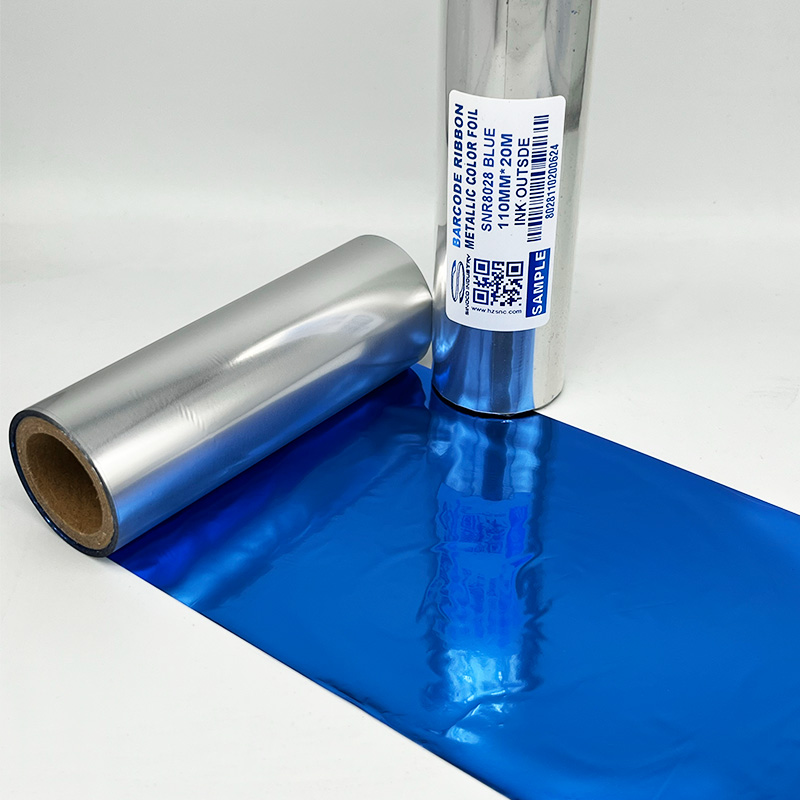
When Print Goes Pale: Diagnosing and Fixing Faint Thermal Transfer Ribbon Output
A bride-to-be opens a box of personalized wedding ribbons bearing the couple's names and wedding date in elegant gold metallic print — only to find the text faint, uneven, and illegible at arm's length. The ribbon supplier blames the printer; the printer manufacturer blames the ribbon. The actual cause is typically one of five correctable variables in the thermal transfer printing process. Faint print is a symptom with a specific diagnosis path, not a mystery.
The Five Variables That Control Print Darkness
Printhead Temperature (Energy Setting)
Thermal transfer printing darkness is a function of printhead energy — how much heat each element generates during the transfer cycle. Energy too low: incomplete coating transfer, producing faint or broken print. Energy too high: coating blooming, carrier scorching, accelerated printhead wear.
The correct energy setting depends on three interacting factors: ribbon chemistry melt temperature (wax: 65–75°C, wax-resin: 75–90°C, resin: 90–110°C), print speed (higher speeds require higher energy because the heating pulse is shorter), and substrate thermal conductivity (metallized films conduct heat away faster than paper, requiring higher energy).
The diagnostic sequence: first, reduce print speed to minimum and observe print density. If density improves at low speed but fades at production speed, increase energy in 2–3 point increments. Second, verify the printer's heat setting matches the ribbon specification. Using Hangzhou Sinoco Industry's SNR8020 metallic gold ribbon for personalized wedding ribbon printing at wax-ribbon heat settings (too low) rather than resin-ribbon settings produces predictably faint output.
Print Speed Above Ribbon Capability
Print speed and energy are inversely related. At 50mm/second, each printhead dot receives heat for approximately 2.5 milliseconds. At 200mm/second, the pulse drops to roughly 0.6 milliseconds — one quarter the energy. Resin ribbons, requiring higher transfer temperatures, are more sensitive to speed-induced fading.
Diagnostic test: print the same design at 25, 50, 100, 150, and 200mm/second. Identify the speed threshold where density drops below acceptable levels. If below production requirements, either increase energy (reducing printhead life) or switch to a higher-speed-rated ribbon formulation.
Ribbon-Substrate Mismatch
The most common unrecognized cause of faint print is ribbon-substrate incompatibility. Wax ribbon on satin polyester produces faint output regardless of energy setting because wax cannot bond to smooth, non-porous surfaces. For personalized wedding ribbon printing — a common application for Sinoco's SNR8000 metallic series — resin-based ribbons are mandatory. Wax and wax-resin ribbons produce unacceptable results on satin at any printer setting.
Ribbon Tension and Wrinkle Artifacts
Ribbon tension that is too low allows the ribbon to slip during the print cycle, producing faint or smeared output along the direction of ribbon travel. Tension that is too high creates ribbon wrinkles — vertical creases in the ribbon that prevent uniform contact between the ribbon coating and the printhead, producing alternating stripes of normal and faint print across the label width.
Tension adjustment varies by printer model. The diagnostic indicator: if faint print appears in consistent vertical bands (stripes), suspect ribbon wrinkling. If faint print appears intermittently across the entire label, suspect low tension or energy issues.
Printhead Wear and Contamination
Printhead elements degrade predictably over their service life — typically 30–50 kilometers of ribbon travel for standard printheads. Worn elements produce less heat at the same energy setting, resulting in gradually fading print. The diagnostic indicator: if print darkness has declined gradually over weeks or months at the same settings, printhead wear is the likely cause. If print darkness dropped suddenly, contamination (adhesive residue, dust, ribbon-coating buildup on the printhead surface) is the likely cause — clean the printhead with isopropyl alcohol and a lint-free cloth before adjusting any settings.
Real-World Troubleshooting Case
A wedding-stationery company producing personalized wedding ribbons experienced intermittent faint gold printing on 15% of output. Settings were unchanged from previous acceptable runs. Investigation revealed the company had changed satin-ribbon suppliers — the new ribbon had higher silicone-finish content that reduced resin bonding. Sinoco's team recommended increasing energy by 8 points to compensate for the higher surface lubricity. The adjustment eliminated the faint-print problem without a ribbon chemistry change.
Frequently Asked Questions
Why does my print look fine at the start of the ribbon roll but fades toward the end?
Ribbon tension can change as the supply roll diameter decreases — a full roll has different tension characteristics than a nearly empty roll. Verify that tension settings maintain consistency throughout the roll. Some printers have adjustable tension profiles to compensate for roll-diameter changes.
How do I clean a contaminated thermal transfer printhead?
Power off the printer and allow the printhead to cool. Apply isopropyl alcohol (90%+) to a lint-free cloth or printhead cleaning pen — never apply liquid directly to the printhead. Wipe gently in one direction along the printhead element line. Allow to dry completely before powering on. Clean after every ribbon change for optimal print quality.
Can humidity cause faint thermal transfer printing?
Yes — high humidity (>80% RH) causes paper labels to absorb moisture, increasing thermal conductivity (moist paper conducts heat away faster than dry paper). Increase energy by 5–10% in humid environments. Store labels and ribbons in climate-controlled conditions.
Does ribbon storage temperature affect print quality?
Ribbons stored above 40°C may experience coating softening, causing uneven coating distribution on the carrier film. Ribbons stored below 5°C may require 2–4 hours of acclimation at room temperature before use. Sinoco's ribbons ship with storage-condition specifications and production-date coding.
What is the difference between faint print and ribbon wrinkle artifacts?
Faint print from low energy or high speed is uniform across the entire print area. Ribbon wrinkle artifacts appear as vertical stripes of alternating normal and faint print — the wrinkles create gaps between the ribbon coating and the printhead. Wrinkle patterns are consistent down the length of the label rather than varying by print content.
How can I test print quality before running a full production batch?
Print a test pattern including solid blocks, fine lines, small text (4–6 point), and a barcode at the beginning of each production run. Verify that solid blocks show consistent density, fine lines remain unbroken, small text is legible, and the barcode scans correctly. This five-second quality gate catches fading issues before they affect production output.